

PRD Editor
The PRD editor (/review/[projectId]) is a full-featured document editor with AI assistance, version history, and collaboration tools.
Editor Layout
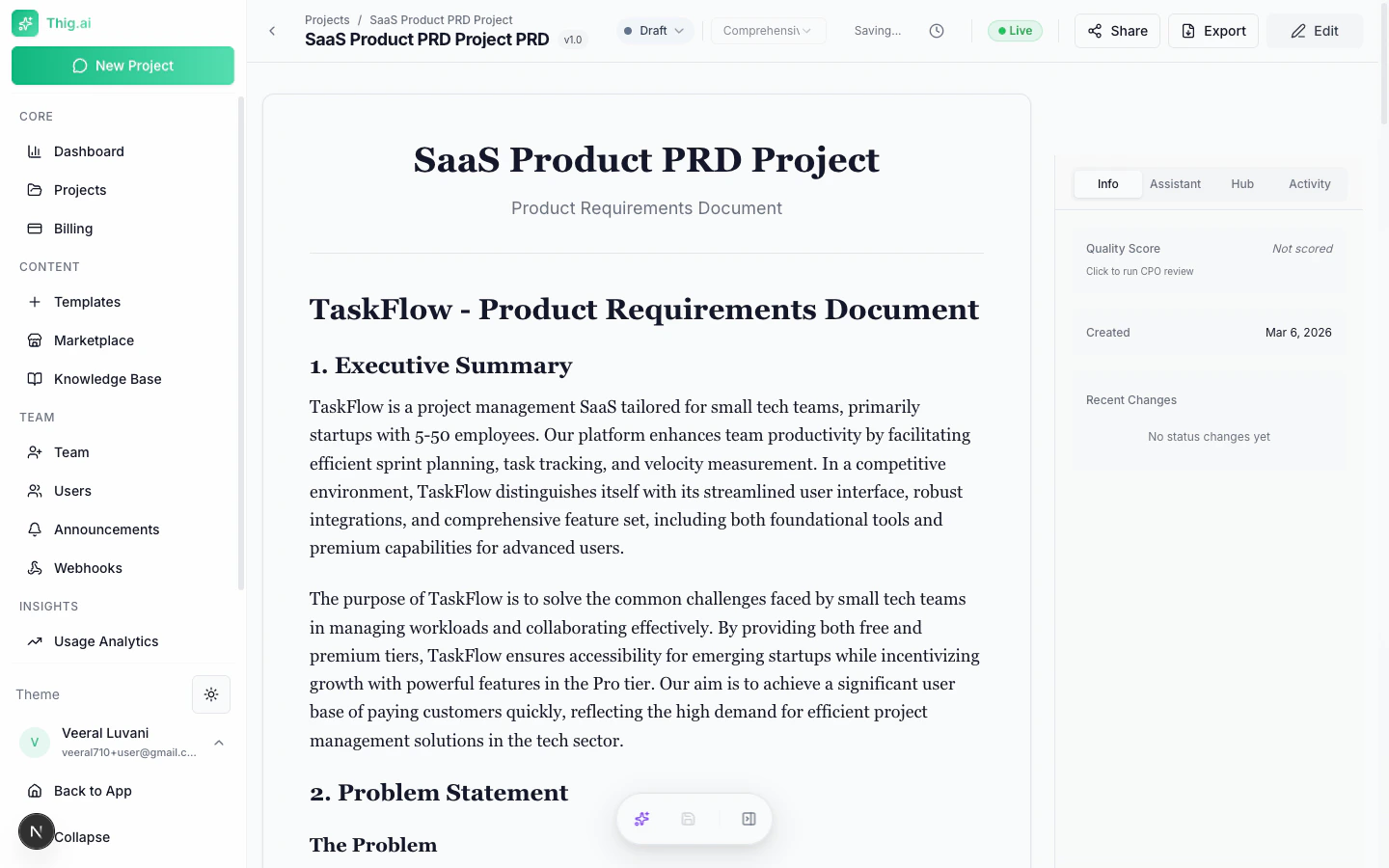
- Document area — Center, with the PRD content
- Table of Contents — Sticky sidebar (left) for quick section navigation
- Right sidebar — Tabbed panels for Info, Hub, Comments, Activity, and AI Coach
- Floating Action Dock — Bottom-center with AI assistant, Save, and sidebar toggles
Editing
Toggle Edit Mode
Press E or click the edit icon to switch between view and edit modes.Rich Text Features
The editor supports:- Headings (H1–H6)
- Bold, italic, underline, strikethrough
- Bullet and numbered lists
- Tables
- Code blocks and inline code
- Images (upload or paste)
- Links
- Markdown shortcuts
Auto-Save
Changes are automatically saved after a brief pause in typing. A “Saving…” indicator shows in the toolbar. You can also manually save with Ctrl+Shift+S.AI Writing Assistance
Floating AI Toolbar
Select any text in the document and a toolbar appears with AI improvement options:
The improved text streams in and you can apply or discard it.
AI Suggestions Panel
Click the lightbulb icon to get proactive improvement suggestions. The AI analyzes your entire PRD and returns suggestions by section with severity levels (info, warning, important).PRD Coach
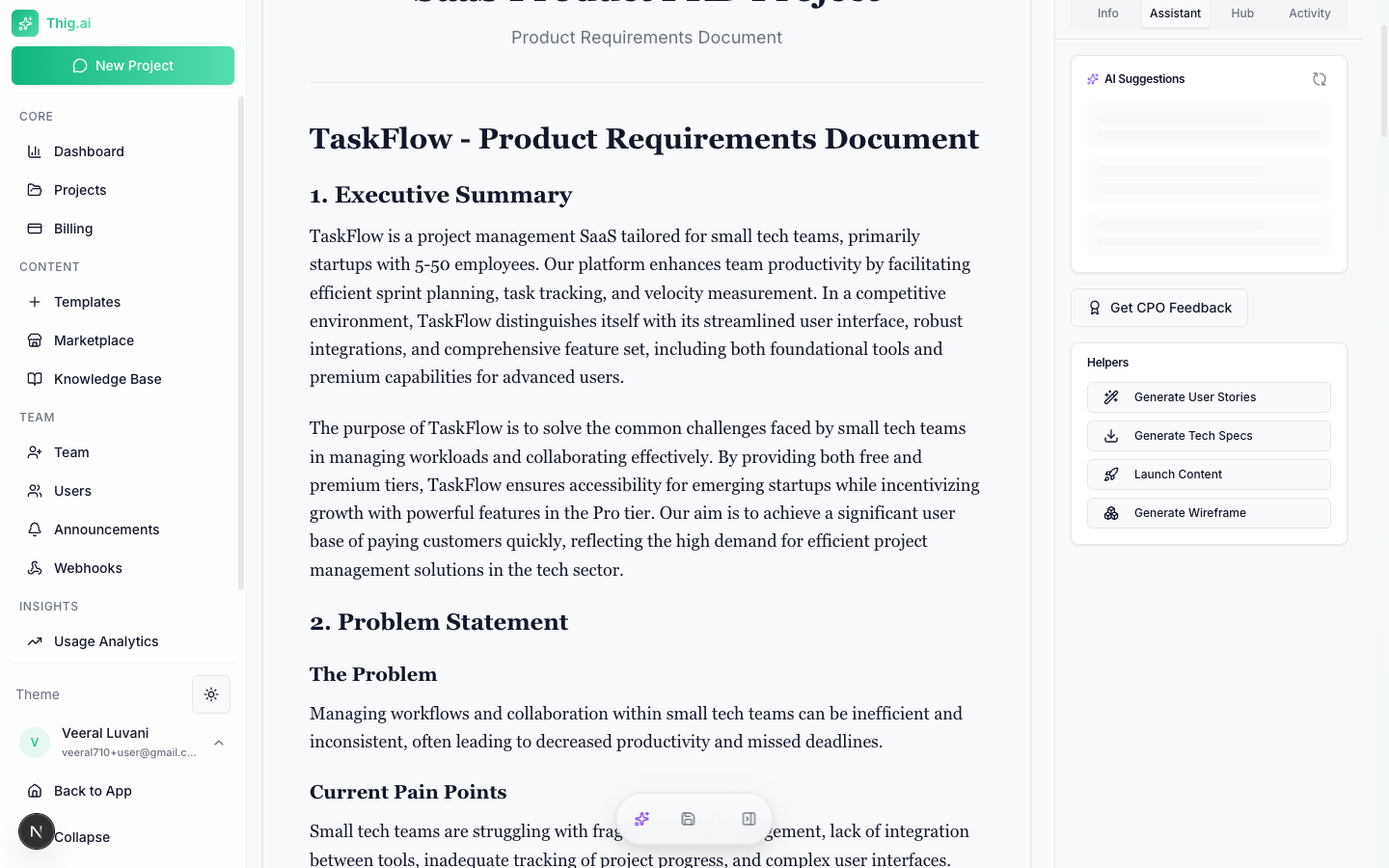
- Clarity — How clear and unambiguous the document is
- Completeness — Whether all essential sections are covered
- User Focus — How well it centers on user needs
- Technical Feasibility — Whether technical aspects are realistic
- Success Metrics — Quality of measurable outcomes
- Risk Assessment — How well risks are identified and mitigated
- Overall score (0–100)
- Executive summary
- Strengths and improvement areas
- Missing sections
- Actionable recommendations with effort/impact analysis
- Questions for your team
Version History
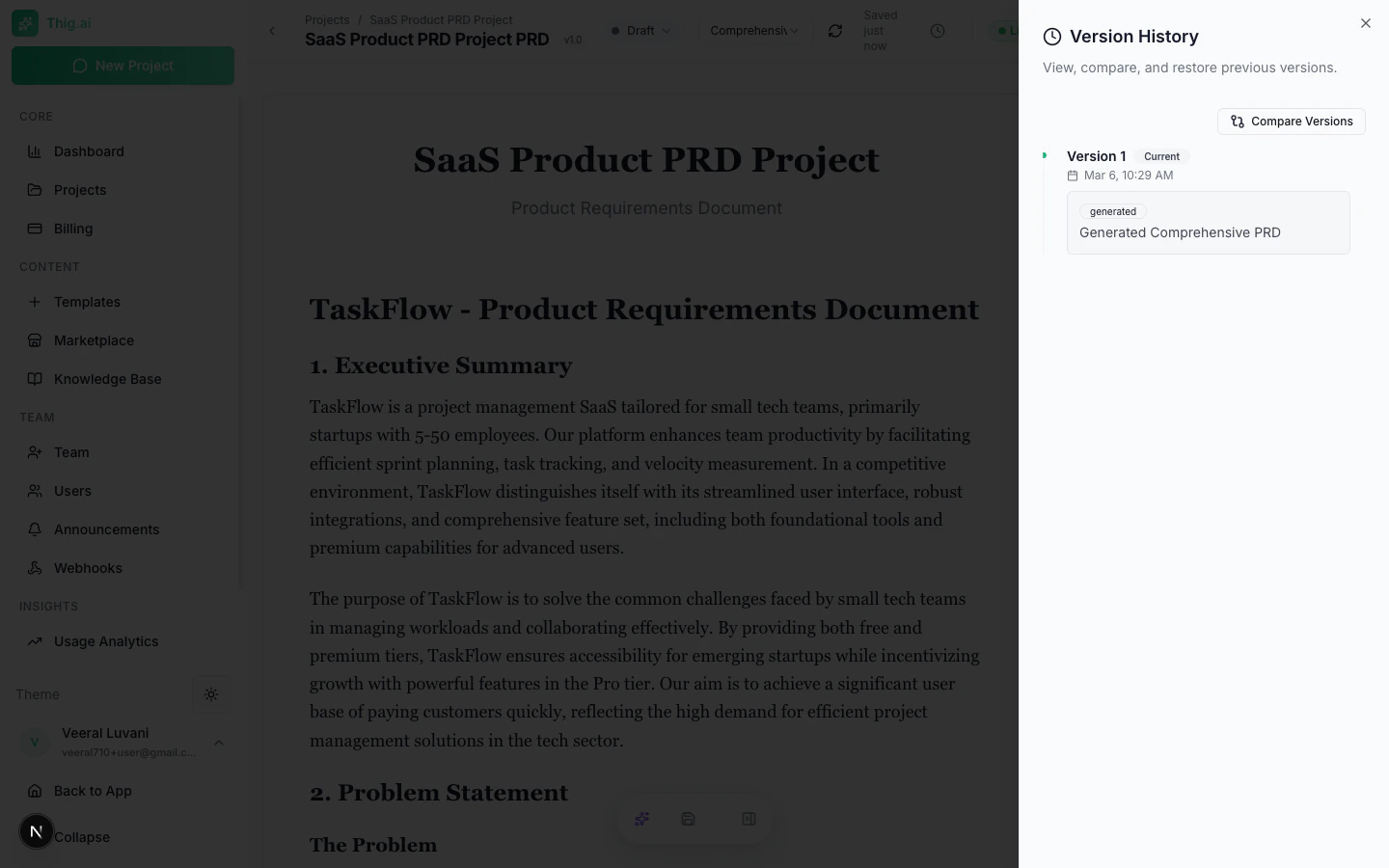
- Click the clock icon to open the Version History sheet
- Browse versions with timestamps, change types, and summaries
- Click any version to preview its content
- Compare Mode — Select two versions to see a side-by-side diff
- Restore — Revert to any previous version (current version is auto-saved first)
Stakeholder Views
Generate perspective-tailored documents from your PRD:AI-Generated Documents
- User Stories — Sprint-ready stories with acceptance criteria
- Technical Specs — Architecture, APIs, database design
- CPO Feedback — AI acting as a Chief Product Officer
Audience-Specific Rewrites
- Engineering — Technical specs and architecture
- Design — UX requirements and user flows
- Executive — Business value and ROI
- Sales — Value propositions and competitive advantages
- Customer — Benefits and getting started guide
- Product — User stories and sprint planning
- QA — Test scenarios and acceptance criteria
- Security — Auth, data privacy, and compliance
Project Hub
The Hub tab in the right sidebar provides:- File manager — Create folders, upload files, preview documents
- Stakeholder views — All generated perspective documents
- Project links — External URLs (Figma, Jira, GitHub repos, etc.)
File Upload
- Drag and drop or click to upload
- Supported: PDF, images, text files, code files
- Max size: 10MB per file
- Files stored in Supabase Storage with signed URLs
Additional AI Tools
Wireframe Generator
Generate Mermaid diagrams from your PRD:- User flows
- System architecture
- Screen layouts
- Data flow diagrams
- Sequence diagrams
- Customer journey maps
Launch Content
Generate marketing content from your PRD:- Blog posts
- Press releases
- Social media posts
- Email announcements
- Demo scripts
- Changelogs