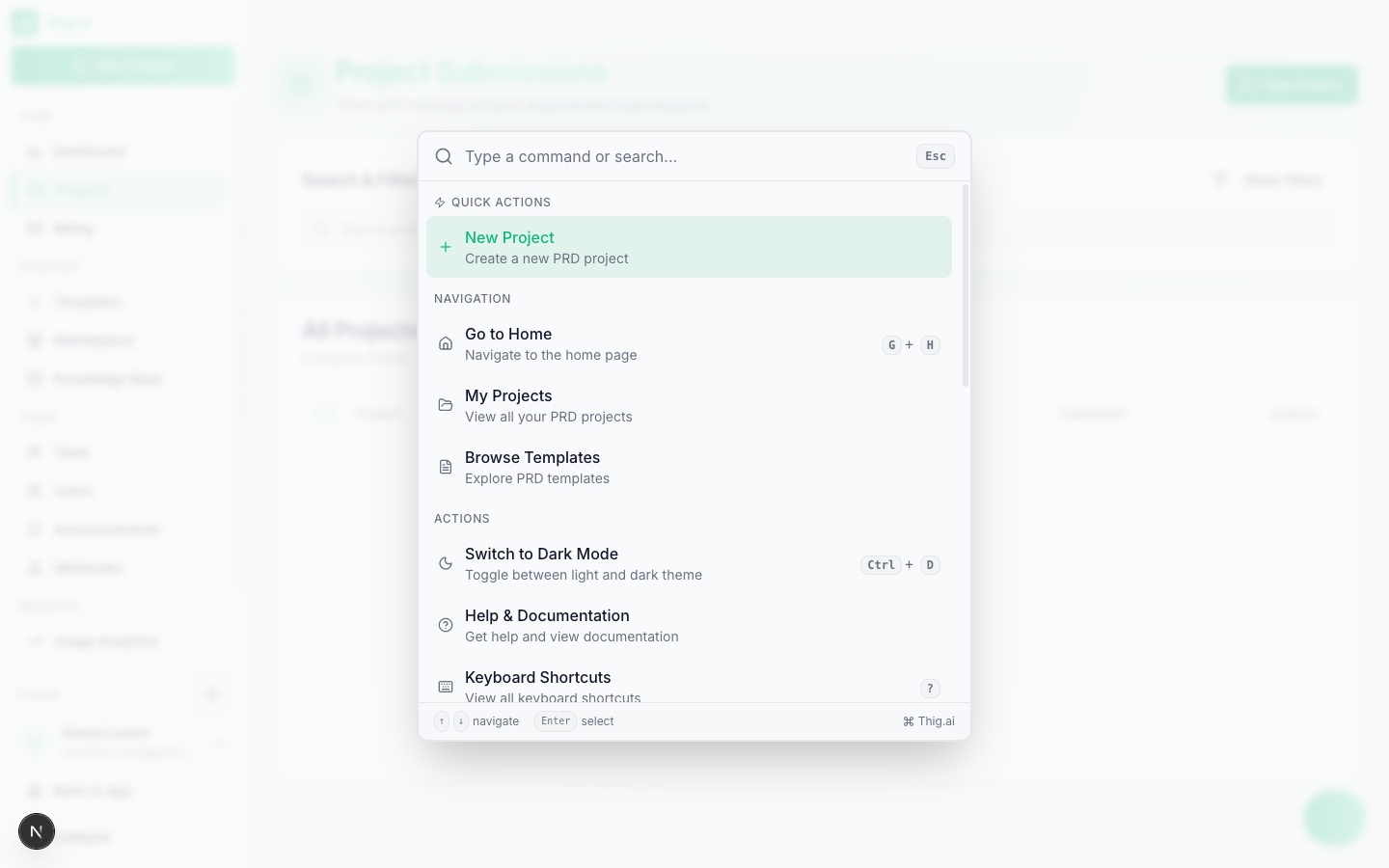
Keyboard Shortcuts
Access the full shortcuts modal by pressing ? or Cmd+Shift+K from anywhere in the app.Global Shortcuts
| Shortcut | Action |
|---|---|
Cmd+K / Ctrl+K | Open Command Palette |
Cmd+Shift+K / Ctrl+Shift+K | Open Keyboard Shortcuts |
? | Open Keyboard Shortcuts |
Alt+N | New project |
Alt+D | Go to Dashboard |
Alt+P | Go to Projects |
PRD Editor Shortcuts
| Shortcut | Action |
|---|---|
E | Toggle edit mode |
[ | Toggle left sidebar (Table of Contents) |
] | Toggle right sidebar |
Ctrl+Shift+S / Cmd+Shift+S | Save document |
Ctrl+B / Cmd+B | Bold |
Ctrl+I / Cmd+I | Italic |
Ctrl+U / Cmd+U | Underline |
Ctrl+Shift+X / Cmd+Shift+X | Strikethrough |
Ctrl+Shift+7 / Cmd+Shift+7 | Numbered list |
Ctrl+Shift+8 / Cmd+Shift+8 | Bullet list |
Ctrl+Shift+B / Cmd+Shift+B | Code block |
Ctrl+Z / Cmd+Z | Undo |
Ctrl+Shift+Z / Cmd+Shift+Z | Redo |
Chat Shortcuts
| Shortcut | Action |
|---|---|
Enter | Send message |
Cmd+Enter / Ctrl+Enter | New line |
Command Palette

Cmd+K) provides:
- Navigation — Jump to any page (Dashboard, Projects, Templates, Settings, etc.)
- Actions — Create new project, toggle theme, sign out
- Search — Find projects and templates by name
- Recent — Quick access to recently opened projects and commands
Navigation Shortcuts
| Shortcut | Action |
|---|---|
G then H | Go to Home |
G then P | Go to Projects |
G then A | Go to Admin Dashboard |
Alt+N | New project |
Alt+D | Go to Dashboard |
Alt+P | Go to Projects |