

Template Marketplace
The Template Marketplace offers a curated collection of pre-built PRD templates designed for specific industries and product types. Start a project with a proven structure instead of building from scratch.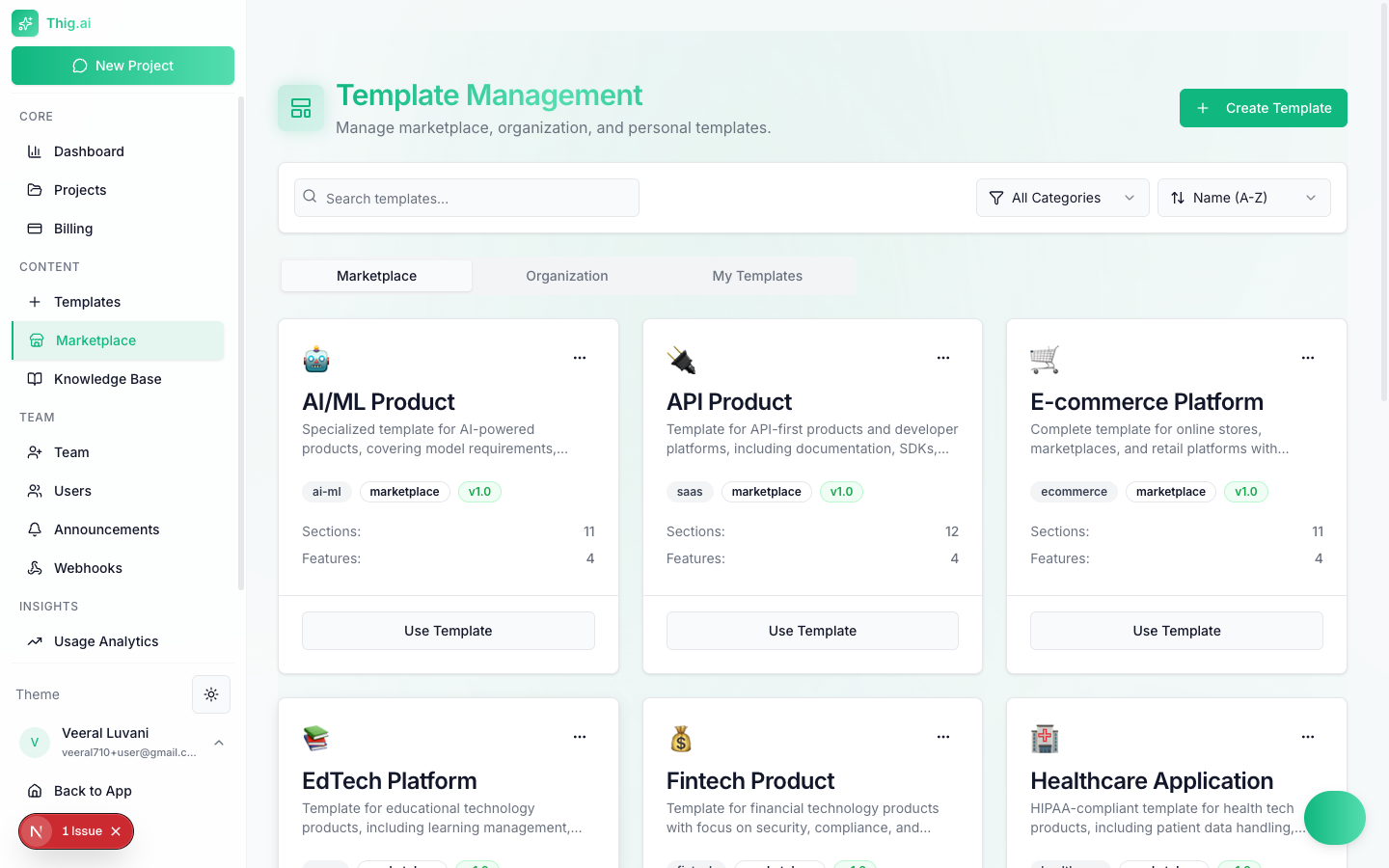
Browse pre-built templates across industries and use cases
Browsing the Marketplace
Navigate to Templates (/admin/templates) and select the Marketplace tab. You can search by name, filter by category, and sort by name.
Template Cards
Each marketplace template displays:- Name and emoji icon — Quick visual identifier
- Description — What the template is designed for
- Category tags — Industry or product type
- Version badge — Current version (e.g., v1.0)
- Sections count — Number of PRD sections included
- Features count — Key capabilities highlighted
- Use Template button — Start a project immediately
Available Categories
Built-In Templates
The marketplace ships with 12 curated templates:- AI/ML Product
- API Product
- E-commerce Platform
- EdTech Platform
- Fintech Product
- Healthcare Application
- Internal Tool / Admin Panel
- IoT / Connected Device
- Mobile App PRD
- SaaS Product PRD
- Social Platform / Community
- Two-Sided Marketplace
Using a Marketplace Template
- Click Use Template on any card
- Review the template structure — sections, sample questions, and features
- Enter a name for your new project
- Click Create Project to start an AI conversation guided by that template
Other Template Tabs
Organization Templates
Templates shared within your organization, created by admins or owners. These appear under the Organization tab and are available to all team members.My Templates
Your personal templates visible only to you. Create them from scratch or duplicate a marketplace template to customize.Creating Custom Templates
Click Create Template from any tab to build your own. For full details on template creation, versioning, and management, see the Templates guide.Marketplace templates are maintained by the thig.ai team and cannot be edited or deleted by users. Duplicate a template if you want to modify it.