

AI Chat
The AI chat interface is where you build your PRD through conversation. The AI guides you with intelligent questions, extracting product requirements as you talk.The Chat Interface
The chat page has three main areas:- Chat messages — Left/center panel with the conversation
- Requirements panel — Right panel showing extracted requirements and completeness score
- Input area — Bottom bar for typing, uploading files, or recording voice
Starting a Conversation
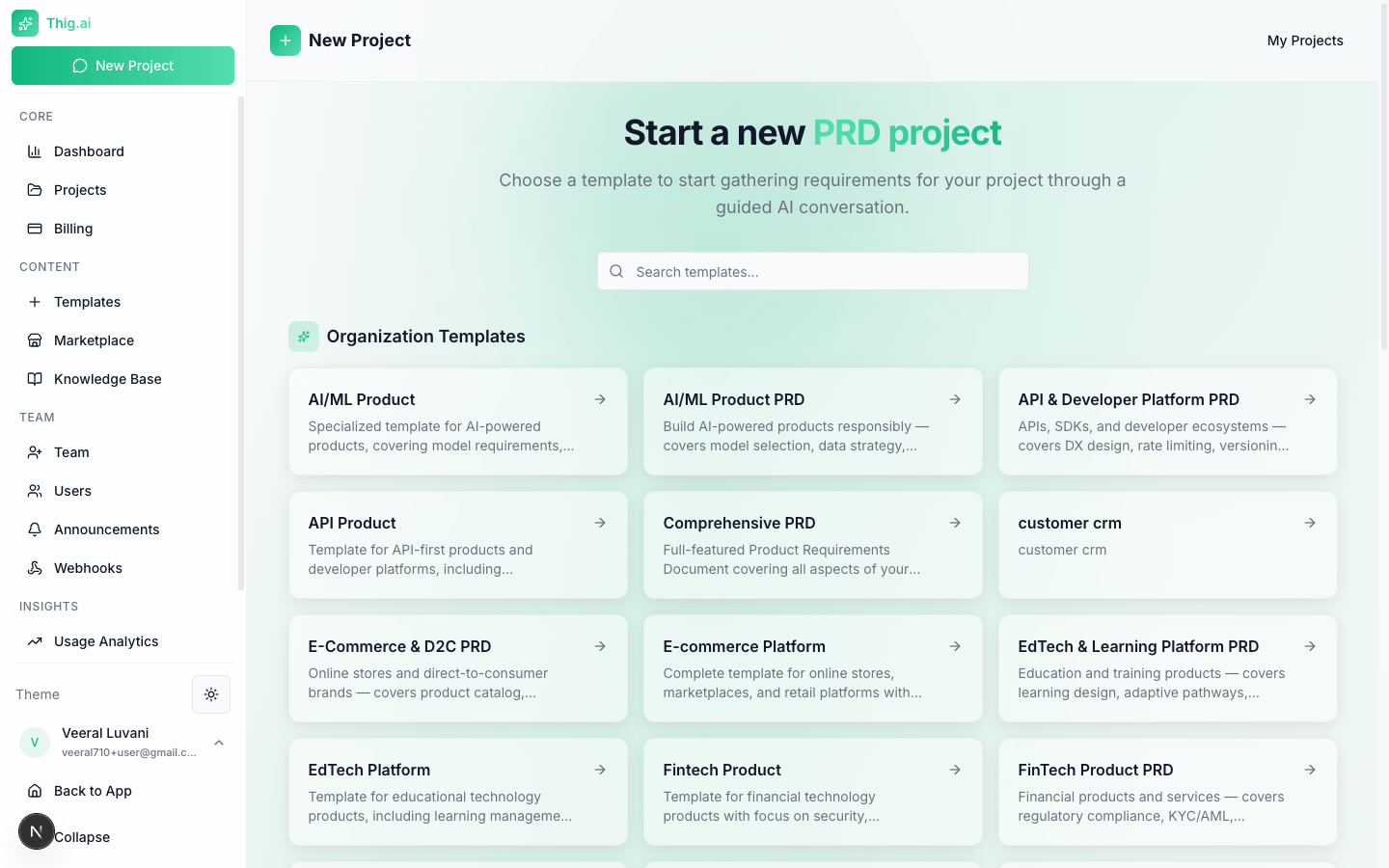
Start a new project by choosing a template
Suggestion Chips
When the chat is empty, quick-start suggestions appear:- “I want to build a web application”
- “I’m planning a mobile app”
- “I need a SaaS platform”
Input Methods
Text Input
Type your responses in the input field. Press Enter to send or Cmd+Enter for a new line.Document Upload
Upload existing documents for the AI to analyze and incorporate:- Supported formats: PDF, DOCX, TXT, Markdown
- Max size: 10MB
- How it works: The AI extracts key requirements, target users, technical considerations, and suggested focus areas from your document
Voice Input
Record audio for hands-free requirement gathering:- Click the microphone button
- Speak your requirements (up to 5 minutes)
- Click stop — audio is transcribed via speech-to-text
- Transcribed text appears in the chat input for review before sending
Voice input requires the audio transcription feature to be enabled on your plan.
Requirements Tracking
As you chat, the AI extracts and displays:- Project name and description
- Problem statement
- Target users and personas
- Core features with priority levels
- Completeness score (0–100%)
Message Editing
Made a mistake or want to refine an answer? Click the edit icon on any of your messages to revise it. The AI will re-process the conversation from that point.Generating the PRD
When you’re ready:- Click Generate PRD (appears when completeness is sufficient)
- Choose a PRD style:
- Comprehensive — Full 12-section PRD
- Technical — Developer-focused specification
- Business — Stakeholder and ROI focused
- Lean — MVP abbreviated format
- Agile — Sprint and iteration focused
- The PRD streams in section by section with a progress bar
- You’re redirected to the Review page when complete
AI Memory
The system automatically extracts reusable insights from your conversations and saves them to your Knowledge Base. Over time, the AI gets better at understanding your preferences, tech stack, and product patterns.Usage Limits
If you hit your plan’s token limit during a conversation, a dialog appears with options to:- Upgrade your plan for more tokens
- Add your own API key (BYOK) for unlimited usage