

Knowledge Base & AI Memory
The Knowledge Base (called AI Memory in the app) stores what the AI has learned about your preferences, decisions, and context from past conversations. This helps the AI generate more relevant and personalized PRDs over time.Overview
Navigate to Settings > Knowledge Base (/admin/settings/memories) to view and manage all stored memories.
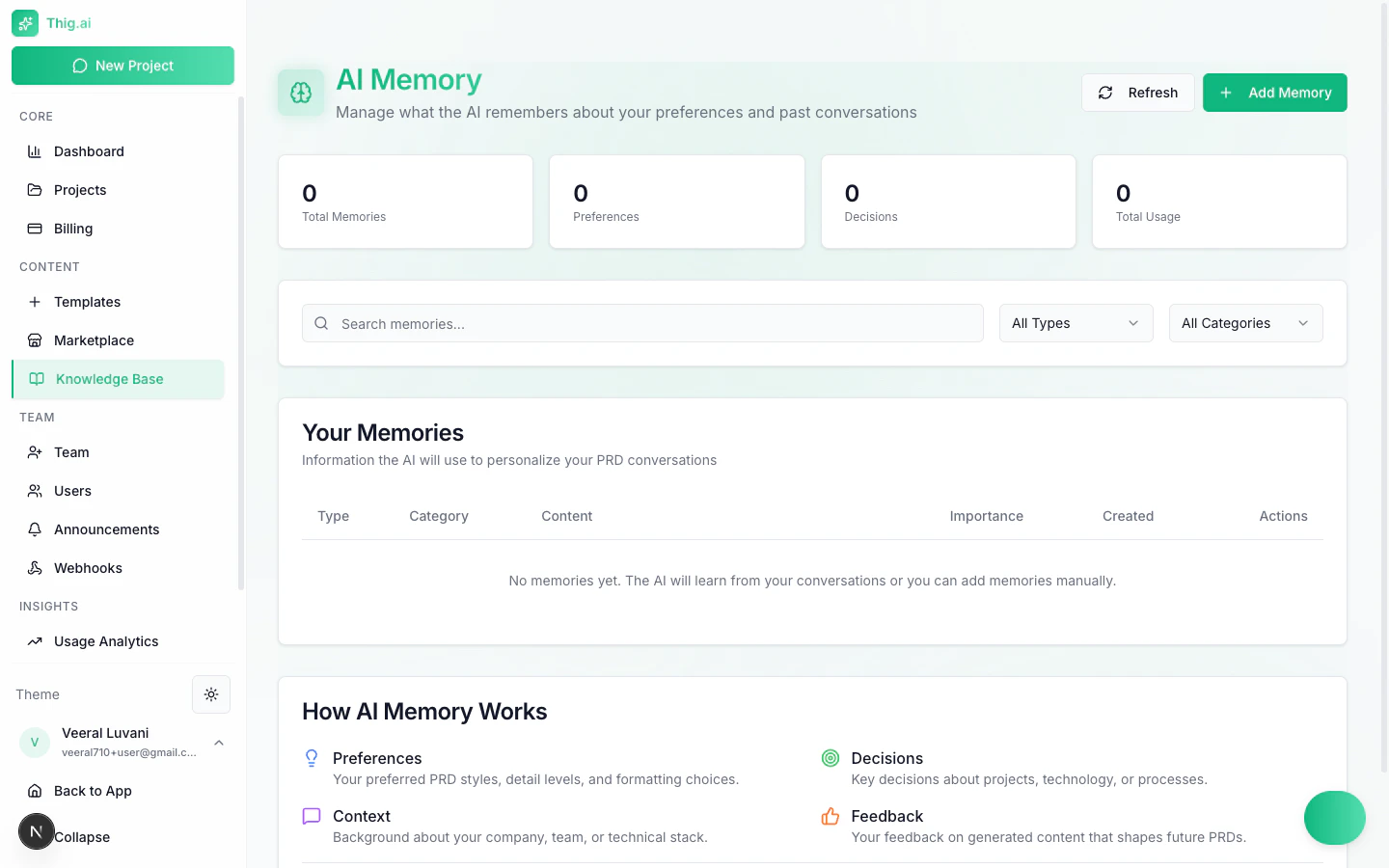
AI Memory page with stats, search, and memory table
Stats Cards
The top of the page displays four summary cards:Searching and Filtering
Use the controls above the memory table to find specific entries:- Search box — Free-text search across memory content
- Type filter — Filter by memory type (All Types, Preferences, Decisions, Context, Feedback)
- Category filter — Filter by category (All Categories, or specific categories)
Memory Table
The table displays all stored memories with the following columns:How AI Memory Works
The AI extracts and stores four types of memory from your conversations:- Preferences — PRD styles, detail levels, formatting choices, and section preferences you express during conversations
- Decisions — Key decisions you make about projects, technology choices, and processes that should carry forward
- Context — Background information about your company, team structure, and tech stack that helps the AI understand your environment
- Feedback — Your feedback on generated content that shapes how future PRDs are written
Adding Memories Manually
Click the Add Memory button to create a memory entry directly:- Select the memory Type (Preferences, Decisions, Context, or Feedback)
- Choose or enter a Category
- Write the memory Content
- Set the Importance level
Higher importance memories are prioritized when the AI generates PRDs. If you have conflicting preferences, increase the importance of the one you want the AI to follow.
Managing Memories
- Edit — Click the action menu on any memory to update its content or importance
- Delete — Remove memories that are no longer relevant
- Bulk management — Periodically review your memories to keep them accurate and up to date
Shared Knowledge Base
Admin/Owner only In addition to per-user AI memories, your organization has a Shared Knowledge Base (/admin/shared-kb) for storing reference documents and context that all team members benefit from.
Folders and Files
Organize shared knowledge into folders:- Go to Shared Knowledge Base (
/admin/shared-kb) - Create folders for different topics (e.g., “Product Strategy”, “Tech Stack”, “Design Guidelines”)
- Upload files or create text entries within each folder
How It’s Used
The shared knowledge base provides context to the AI during conversations:- Auto-save — Key information from AI conversations is automatically saved to the knowledge base (fire-and-forget, no manual action needed)
- Cross-project search — The AI searches across all projects and knowledge base entries to find relevant context
- Relevance ranking — Entries are ranked by relevance using embeddings and a budget manager ensures the most useful context fits within token limits
- Deduplication — Entries are deduplicated by name within each folder to prevent redundancy
Embeddings
Knowledge base entries are processed into vector embeddings for semantic search. This happens asynchronously via a processing queue — there may be a short delay before newly added entries appear in AI search results.Memory Conflict Detection
When the AI extracts a new memory that contradicts an existing one, the conflict detection system:- Identifies the conflicting entries
- Presents both to you for resolution
- Keeps the one you choose and archives the other