

AI Tools
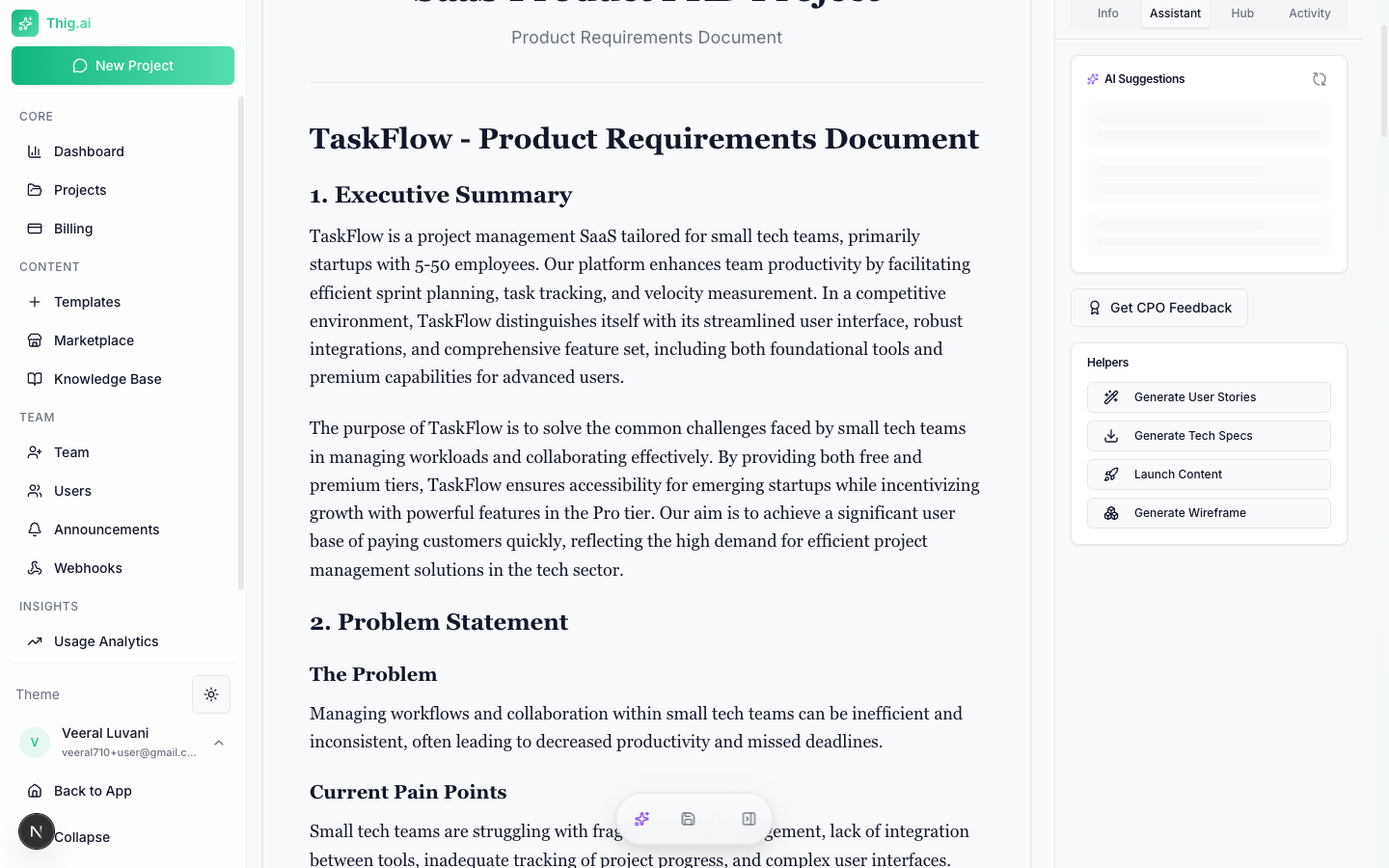
thig.ai includes a suite of AI-powered tools that generate derivative documents from your PRD. All tools are accessible from the PRD review page.Which tool should I use?
PRD Coach
- Clarity (0–100)
- Completeness (0–100)
- User Focus (0–100)
- Technical Feasibility (0–100)
- Success Metrics (0–100)
- Risk Assessment (0–100)
- Overall quality score
- Executive summary
- Strengths list
- Prioritized improvement items (high/medium/low)
- Missing sections (critical/important/nice-to-have)
- Recommendations with effort/impact analysis
- Questions for your team
Sample PRD Coach Output
Sample PRD Coach Output
Overall Score: 74/100Clarity: 82/100 - Requirements are well-defined with minor ambiguities in the notification system section.Completeness: 68/100 - Missing detailed error handling, offline behavior, and accessibility requirements.User Focus: 80/100 - Strong user personas but success metrics could tie more directly to user outcomes.Technical Feasibility: 75/100 - Architecture is sound. Consider adding capacity estimates for the real-time sync feature.Success Metrics: 60/100 - KPIs are defined but lack baseline values and measurement methodology.Risk Assessment: 70/100 - Key risks identified. Add mitigation strategies for third-party API dependencies.Top Recommendations:
- Add error states and fallback behavior for each feature (effort: low, impact: high)
- Define baseline metrics and measurement plan for each KPI (effort: medium, impact: high)
- Include accessibility requirements per WCAG 2.1 AA (effort: medium, impact: medium)
User Stories
Generate sprint-ready user stories with acceptance criteria from your PRD. Input sources:- Full PRD content
- Specific features
- Requirements sections
Technical Specs
Generate a comprehensive technical specification from your PRD. Includes:- System architecture
- API design
- Database schema
- Technology recommendations
- Infrastructure requirements
- Security considerations
Implementation Roadmap
Generate a phased implementation plan from your PRD. Configuration:- Team size: Small (1–3), Medium (4–8), Large (9+)
- Methodology: Agile, Waterfall, or Hybrid
Wireframe Generator
Generate Mermaid diagrams from your PRD:
You can generate diagrams for the full PRD or specific sections. Diagrams render inline with the Mermaid viewer.
Code Spec
Generate a developer-focused specification sheet:- Condensed technical summary
- Copy-to-clipboard for use with AI coding tools (Cursor, Copilot, etc.)
- Saved to Knowledge Base
Launch Content
Generate marketing and launch content from your PRD:AI Writing Improvements
Select any text in the PRD editor to access inline AI improvements:- Improve Writing — Better clarity and flow
- Make More Concise — Shorten while preserving meaning
- Add More Detail — Expand with specifics
- Fix Grammar — Correct errors
- Make More Technical — Add technical depth
- Simplify — Plain language rewrite
- Add User Focus — Center on user needs
- Add Metrics — Add measurable criteria
AI Suggestions
The AI proactively analyzes your PRD and surfaces suggestions:- Missing sections that should be added
- Sections that need more detail
- Inconsistencies between sections
- Opportunities to strengthen the document