

Quickstart
Follow these steps to go from zero to a complete PRD.Step 1: Create an Account
Sign up at app.thig.ai with your email or Google account.Password must be at least 8 characters with one uppercase letter, one lowercase letter, and one digit.
Step 2: Complete Onboarding
A quick 4-step wizard personalizes your experience:- Your Profile — Name and job title
- Use Case — How you’ll use thig.ai (PM, developer, founder, etc.)
- Preferences — PRD style (comprehensive, lean, technical, agile)
- Team Setup — Optionally create an organization and invite teammates
Step 3: Pick a Template
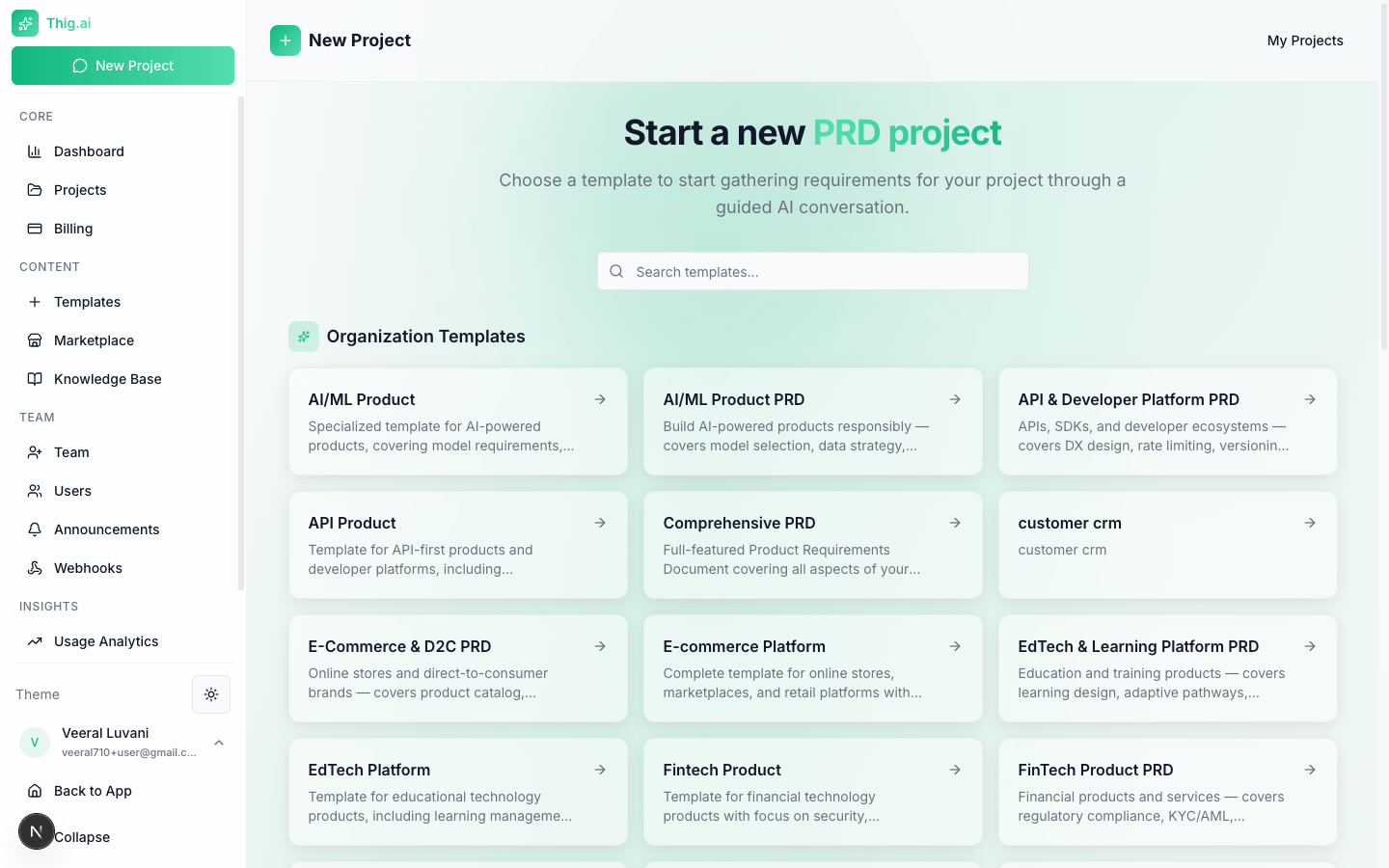
Choose from dozens of industry-specific templates
- SaaS — Web application PRDs
- Mobile — iOS/Android app specs
- eCommerce — Online store features
- FinTech — Financial products
- Healthcare — Health/wellness apps
- AI/ML — AI-powered products
- And more…
Step 4: Chat with AI
The AI will guide you through a structured conversation:- Answer questions about your product vision, target users, and features
- Upload existing documents (PDF, DOCX, TXT) for the AI to analyze
- Use voice input to describe requirements hands-free
- Watch the requirements panel fill up as the AI extracts key details
Step 5: Generate Your PRD
When the AI has gathered enough context (indicated by the completeness score), click Generate PRD. The document streams in section by section.Step 6: Review and Export
In the PRD editor:- Edit any section with the rich text editor
- Get AI coaching — a quality score with actionable feedback
- Export to PDF, DOCX, HTML, Notion, or Google Docs
- Share with stakeholders via a link (no login required for viewers)
What’s Next?
Projects
Manage and organize your PRD projects
AI Chat
Master the AI conversation interface
Templates
Create and customize templates
Team Management
Set up your organization and invite members