

Exports
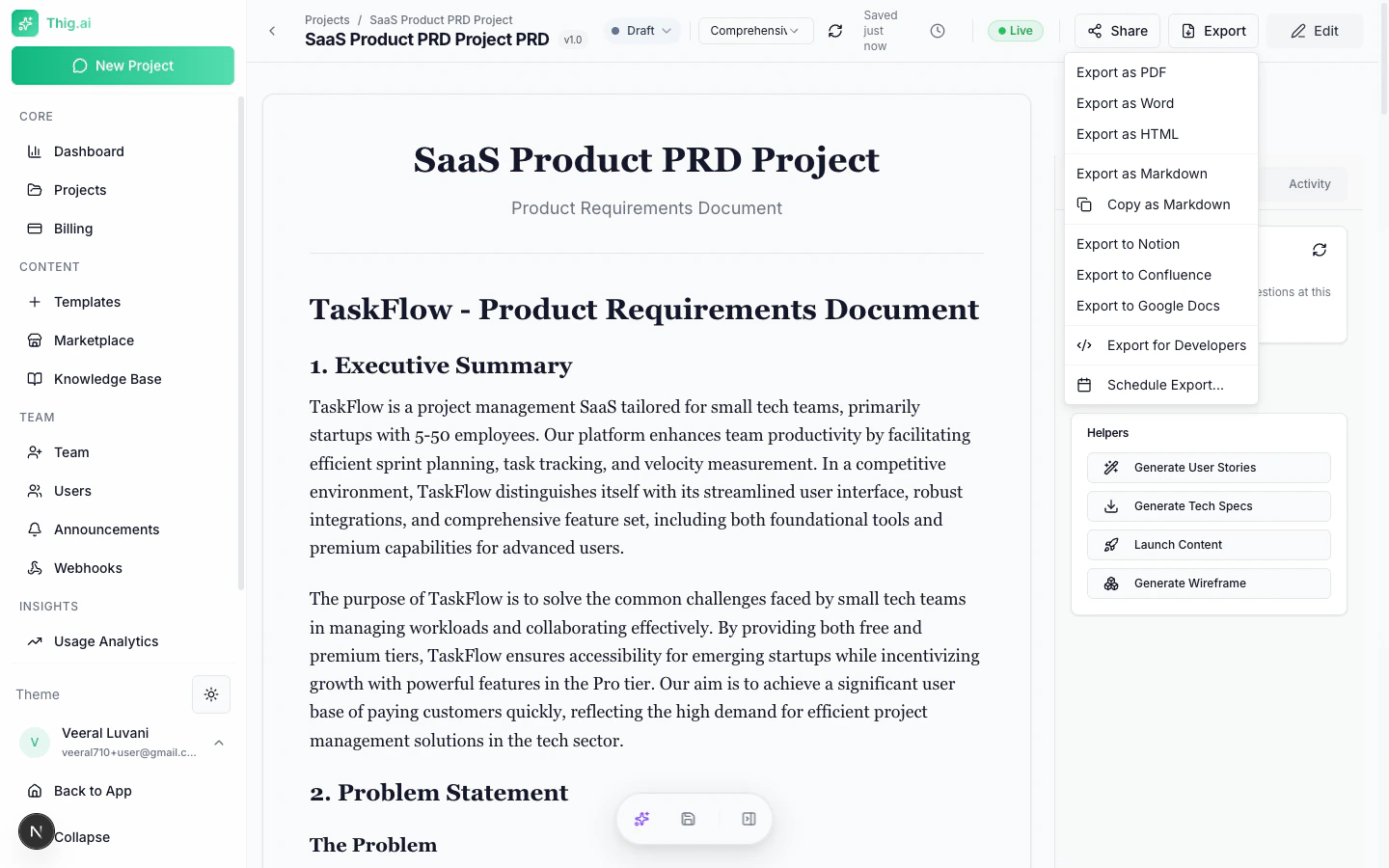
Export your PRD documents in multiple formats for sharing with stakeholders, archiving, or integration with other tools.Export Formats
HTML
Self-contained HTML file with embedded CSS. Opens in any browser — great for web-based sharing.DOCX
Microsoft Word format. Compatible with Word, Google Docs, LibreOffice, and other word processors.Notion
Creates a new Notion page in your connected workspace. Requires Notion integration to be set up first.Google Docs
Creates a new Google Doc in your connected Google Drive. Uses your Google OAuth credentials from sign-in.Confluence
Creates a Confluence page in your connected workspace. Requires Confluence integration to be set up.Format Comparison
How to Export
- Open your PRD in the review page (
/review/[projectId]) - Click the Export button in the toolbar
- Select your desired format
- File downloads immediately (PDF, HTML, DOCX) or opens in the target app (Notion, Google Docs)
Bulk Export
Export multiple PRDs at once:- Go to Projects (
/admin/projects) - Select multiple projects using the checkboxes
- Click Bulk Export from the actions menu
- Choose format: PDF, HTML, Markdown, or All
- Downloads as a ZIP file (max 20 projects per export)
Scheduled Exports
Set up automatic recurring exports at Settings > Scheduled Exports.Schedule Types
Delivery Methods
- Email — Send to a list of recipients with optional custom subject and message
- Webhook — POST to a URL endpoint
Configuration Options
- Export format (PDF, HTML, DOCX, Markdown)
- Include changelog toggle
- Timezone-aware scheduling
- Custom email subject and message body
Managing Schedules
From the Scheduled Exports page:- View all schedules with last run and next run times
- Toggle active/inactive
- Manually trigger with “Run Now”
- View delivery log showing history of attempts
- Delete schedules
Scheduled exports are available on Pro plans and above.