> ## Documentation Index
> Fetch the complete documentation index at: https://docs.thig.ai/llms.txt
> Use this file to discover all available pages before exploring further.
# Keyboard Shortcuts
> Navigate faster with keyboard shortcuts
# Keyboard Shortcuts
Access the full shortcuts modal by pressing **?** or **Cmd+Shift+K** from anywhere in the app.
## Global Shortcuts
| Shortcut | Action |
| ------------------------------ | ----------------------- |
| `Cmd+K` / `Ctrl+K` | Open Command Palette |
| `Cmd+Shift+K` / `Ctrl+Shift+K` | Open Keyboard Shortcuts |
| `?` | Open Keyboard Shortcuts |
| `Alt+N` | New project |
| `Alt+D` | Go to Dashboard |
| `Alt+P` | Go to Projects |
## PRD Editor Shortcuts
| Shortcut | Action |
| ------------------------------ | --------------------------------------- |
| `E` | Toggle edit mode |
| `[` | Toggle left sidebar (Table of Contents) |
| `]` | Toggle right sidebar |
| `Ctrl+Shift+S` / `Cmd+Shift+S` | Save document |
| `Ctrl+B` / `Cmd+B` | Bold |
| `Ctrl+I` / `Cmd+I` | Italic |
| `Ctrl+U` / `Cmd+U` | Underline |
| `Ctrl+Shift+X` / `Cmd+Shift+X` | Strikethrough |
| `Ctrl+Shift+7` / `Cmd+Shift+7` | Numbered list |
| `Ctrl+Shift+8` / `Cmd+Shift+8` | Bullet list |
| `Ctrl+Shift+B` / `Cmd+Shift+B` | Code block |
| `Ctrl+Z` / `Cmd+Z` | Undo |
| `Ctrl+Shift+Z` / `Cmd+Shift+Z` | Redo |
## Chat Shortcuts
| Shortcut | Action |
| -------------------------- | ------------ |
| `Enter` | Send message |
| `Cmd+Enter` / `Ctrl+Enter` | New line |
## Command Palette
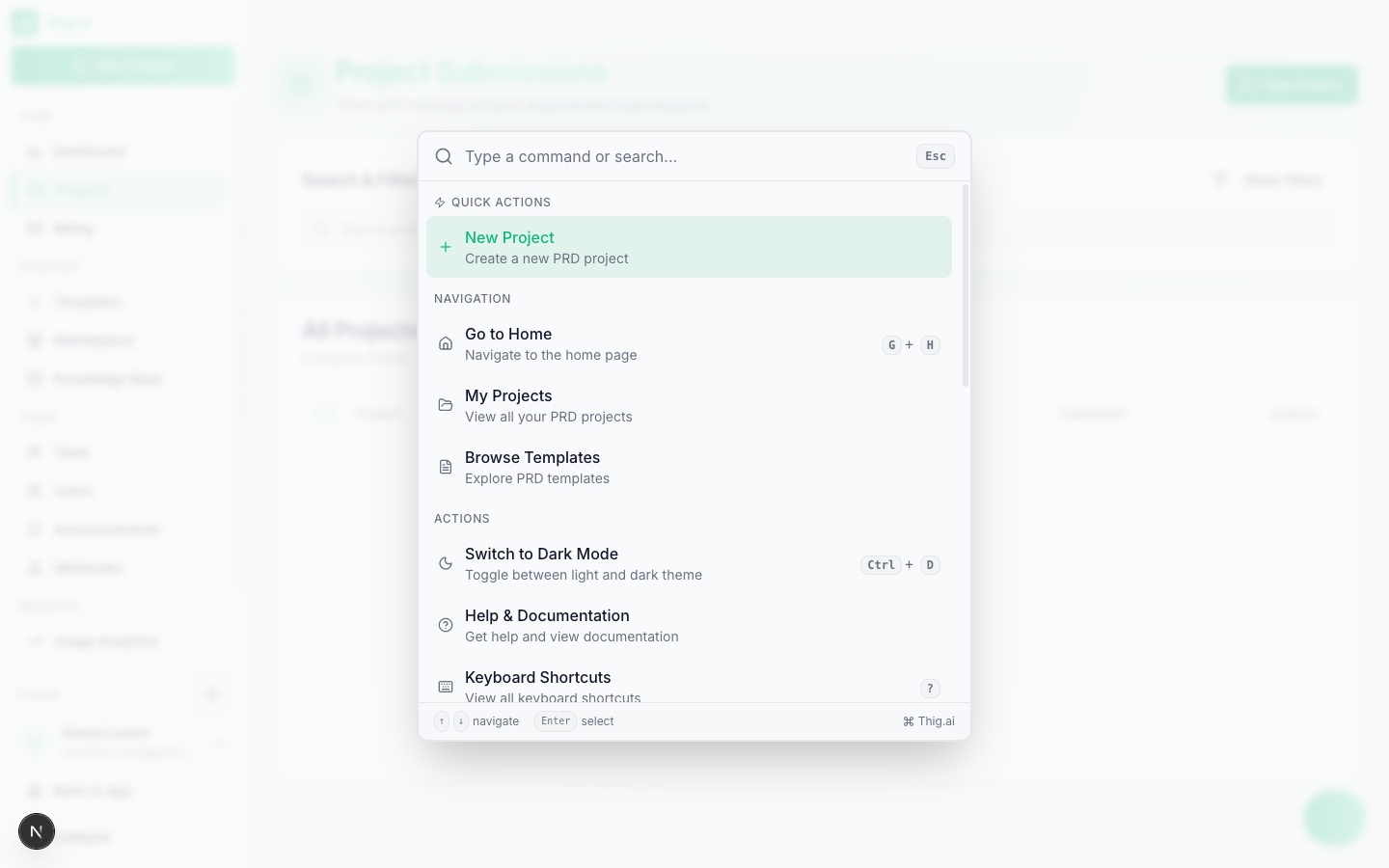 The Command Palette (`Cmd+K`) provides:
* **Navigation** — Jump to any page (Dashboard, Projects, Templates, Settings, etc.)
* **Actions** — Create new project, toggle theme, sign out
* **Search** — Find projects and templates by name
* **Recent** — Quick access to recently opened projects and commands
## Navigation Shortcuts
| Shortcut | Action |
| ------------ | --------------------- |
| `G` then `H` | Go to Home |
| `G` then `P` | Go to Projects |
| `G` then `A` | Go to Admin Dashboard |
| `Alt+N` | New project |
| `Alt+D` | Go to Dashboard |
| `Alt+P` | Go to Projects |
The Command Palette (`Cmd+K`) provides:
* **Navigation** — Jump to any page (Dashboard, Projects, Templates, Settings, etc.)
* **Actions** — Create new project, toggle theme, sign out
* **Search** — Find projects and templates by name
* **Recent** — Quick access to recently opened projects and commands
## Navigation Shortcuts
| Shortcut | Action |
| ------------ | --------------------- |
| `G` then `H` | Go to Home |
| `G` then `P` | Go to Projects |
| `G` then `A` | Go to Admin Dashboard |
| `Alt+N` | New project |
| `Alt+D` | Go to Dashboard |
| `Alt+P` | Go to Projects |