> ## Documentation Index
> Fetch the complete documentation index at: https://docs.thig.ai/llms.txt
> Use this file to discover all available pages before exploring further.
# Team Announcements
> Communicate important updates to your team members
# Team Announcements
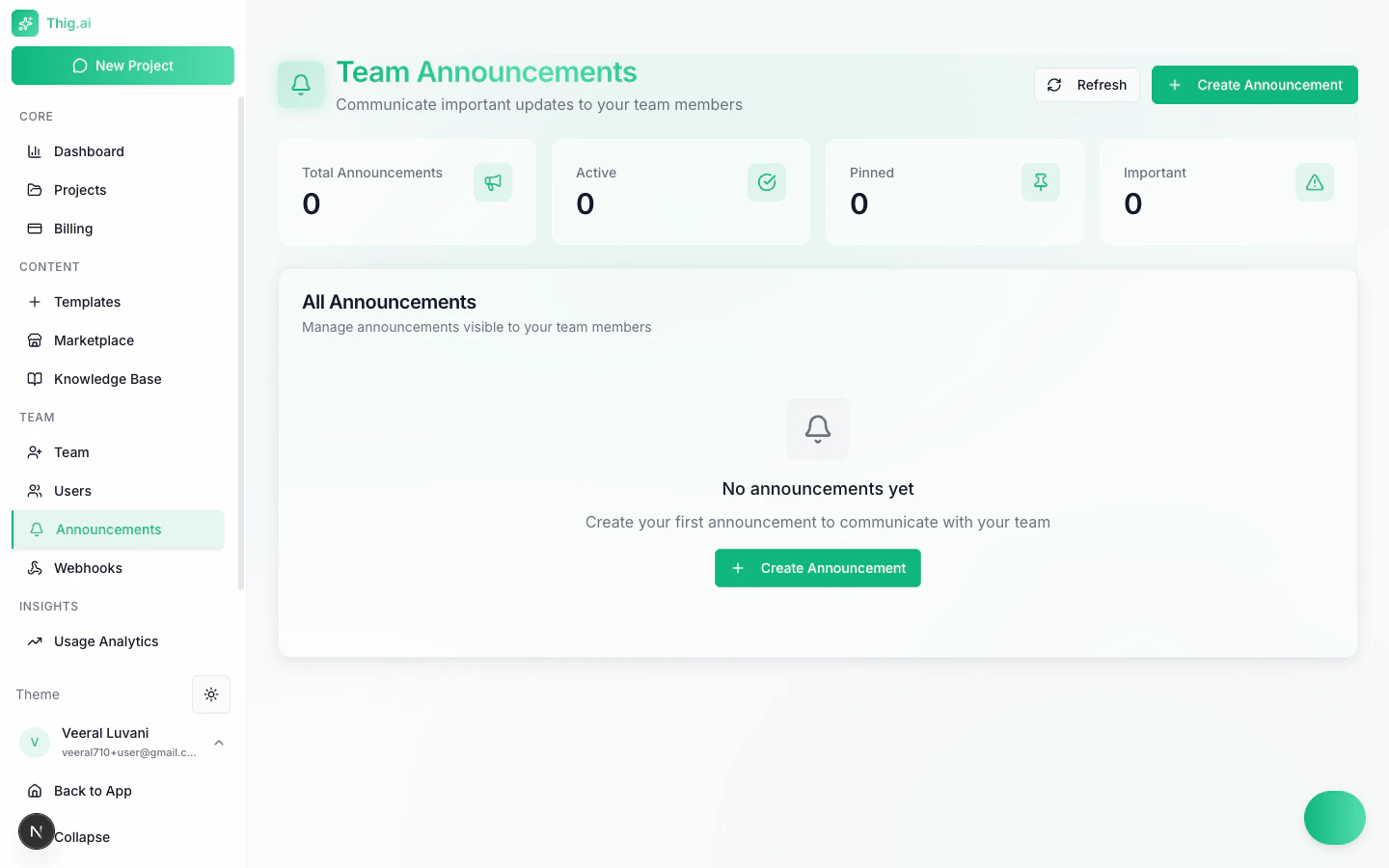
The Announcements page (`/admin/notifications`) lets admins and owners broadcast important updates to the entire organization. Use announcements to communicate PRD standards, template updates, process changes, and other team-wide information.
 ## Overview Stats
Four summary cards at the top of the page track announcement activity:
| Stat | Description |
| ----------------------- | ----------------------------------------------- |
| **Total Announcements** | Total number of announcements ever created |
| **Active** | Announcements currently visible to team members |
| **Pinned** | Announcements pinned to the top of the list |
| **Important** | Announcements marked with high priority |
## Creating an Announcement
1. Click the **Create Announcement** button
2. Fill in the announcement details:
* **Title** -- A clear, concise headline
* **Message** -- The full announcement body
* **Type** -- Info, Warning, Success, Error, or Announcement
* **Pinned** -- Toggle to keep the announcement at the top
* **Expiration date** -- Optional date when the announcement automatically deactivates
3. Click **Create** to publish
Use the **Pinned** option for long-running announcements like PRD style guidelines or template standards that should always be visible.
## Announcement Types
Choose the type that best matches your message:
| Type | Use Case |
| ---------------- | ----------------------------------------------------------- |
| **Info** | General information, updates, and FYI messages |
| **Warning** | Alerts about upcoming changes or potential issues |
| **Success** | Positive news, milestones reached, or completed initiatives |
| **Error** | Critical issues, outages, or urgent action required |
| **Announcement** | General-purpose announcements |
Each type is displayed with a distinct visual style so team members can quickly assess the importance.
## Managing Announcements
From the announcements list, you can:
* **Pin / Unpin** -- Pinned announcements always appear at the top
* **Mark as Important** -- Highlight critical announcements for visibility
* **Activate / Deactivate** -- Control whether the announcement is currently shown
* **Edit** -- Update the title, message, type, or expiration
* **Delete** -- Permanently remove the announcement
## How Team Members See Announcements
* Active announcements appear in the **notification panel** accessible from the dashboard
* Pinned announcements are shown prominently at the top of the admin dashboard
* Members can view announcements but cannot create, edit, or delete them
Announcements are scoped to your organization. Only members of your organization will see them. Viewers can see announcements if the feature is enabled in [Feature Access](/user-guide/feature-access).
## Best Practices
* **Be specific** -- Include actionable details rather than vague updates
* **Set expiration dates** -- Prevent stale announcements from cluttering the feed
* **Use types consistently** -- Reserve Warning and Error for genuinely important items
* **Pin sparingly** -- Too many pinned announcements reduce their effectiveness
* **Review regularly** -- Deactivate or delete announcements that are no longer relevant
Only Owners and Admins can create and manage announcements. If you need a team member to help manage communications, consider upgrading their role to Admin.
## Overview Stats
Four summary cards at the top of the page track announcement activity:
| Stat | Description |
| ----------------------- | ----------------------------------------------- |
| **Total Announcements** | Total number of announcements ever created |
| **Active** | Announcements currently visible to team members |
| **Pinned** | Announcements pinned to the top of the list |
| **Important** | Announcements marked with high priority |
## Creating an Announcement
1. Click the **Create Announcement** button
2. Fill in the announcement details:
* **Title** -- A clear, concise headline
* **Message** -- The full announcement body
* **Type** -- Info, Warning, Success, Error, or Announcement
* **Pinned** -- Toggle to keep the announcement at the top
* **Expiration date** -- Optional date when the announcement automatically deactivates
3. Click **Create** to publish
Use the **Pinned** option for long-running announcements like PRD style guidelines or template standards that should always be visible.
## Announcement Types
Choose the type that best matches your message:
| Type | Use Case |
| ---------------- | ----------------------------------------------------------- |
| **Info** | General information, updates, and FYI messages |
| **Warning** | Alerts about upcoming changes or potential issues |
| **Success** | Positive news, milestones reached, or completed initiatives |
| **Error** | Critical issues, outages, or urgent action required |
| **Announcement** | General-purpose announcements |
Each type is displayed with a distinct visual style so team members can quickly assess the importance.
## Managing Announcements
From the announcements list, you can:
* **Pin / Unpin** -- Pinned announcements always appear at the top
* **Mark as Important** -- Highlight critical announcements for visibility
* **Activate / Deactivate** -- Control whether the announcement is currently shown
* **Edit** -- Update the title, message, type, or expiration
* **Delete** -- Permanently remove the announcement
## How Team Members See Announcements
* Active announcements appear in the **notification panel** accessible from the dashboard
* Pinned announcements are shown prominently at the top of the admin dashboard
* Members can view announcements but cannot create, edit, or delete them
Announcements are scoped to your organization. Only members of your organization will see them. Viewers can see announcements if the feature is enabled in [Feature Access](/user-guide/feature-access).
## Best Practices
* **Be specific** -- Include actionable details rather than vague updates
* **Set expiration dates** -- Prevent stale announcements from cluttering the feed
* **Use types consistently** -- Reserve Warning and Error for genuinely important items
* **Pin sparingly** -- Too many pinned announcements reduce their effectiveness
* **Review regularly** -- Deactivate or delete announcements that are no longer relevant
Only Owners and Admins can create and manage announcements. If you need a team member to help manage communications, consider upgrading their role to Admin.