> ## Documentation Index
> Fetch the complete documentation index at: https://docs.thig.ai/llms.txt
> Use this file to discover all available pages before exploring further.
# Quickstart
> Create your first AI-powered PRD in under 5 minutes
# Quickstart
Follow these steps to go from zero to a complete PRD.
## Step 1: Create an Account
Sign up at [app.thig.ai](https://app.thig.ai/auth/register) with your email or Google account.
Password must be at least 8 characters with one uppercase letter, one lowercase letter, and one digit.
## Step 2: Complete Onboarding
A quick 4-step wizard personalizes your experience:
1. **Your Profile** — Name and job title
2. **Use Case** — How you'll use thig.ai (PM, developer, founder, etc.)
3. **Preferences** — PRD style (comprehensive, lean, technical, agile)
4. **Team Setup** — Optionally create an organization and invite teammates
You can skip this entirely and go straight to creating PRDs.
## Step 3: Pick a Template
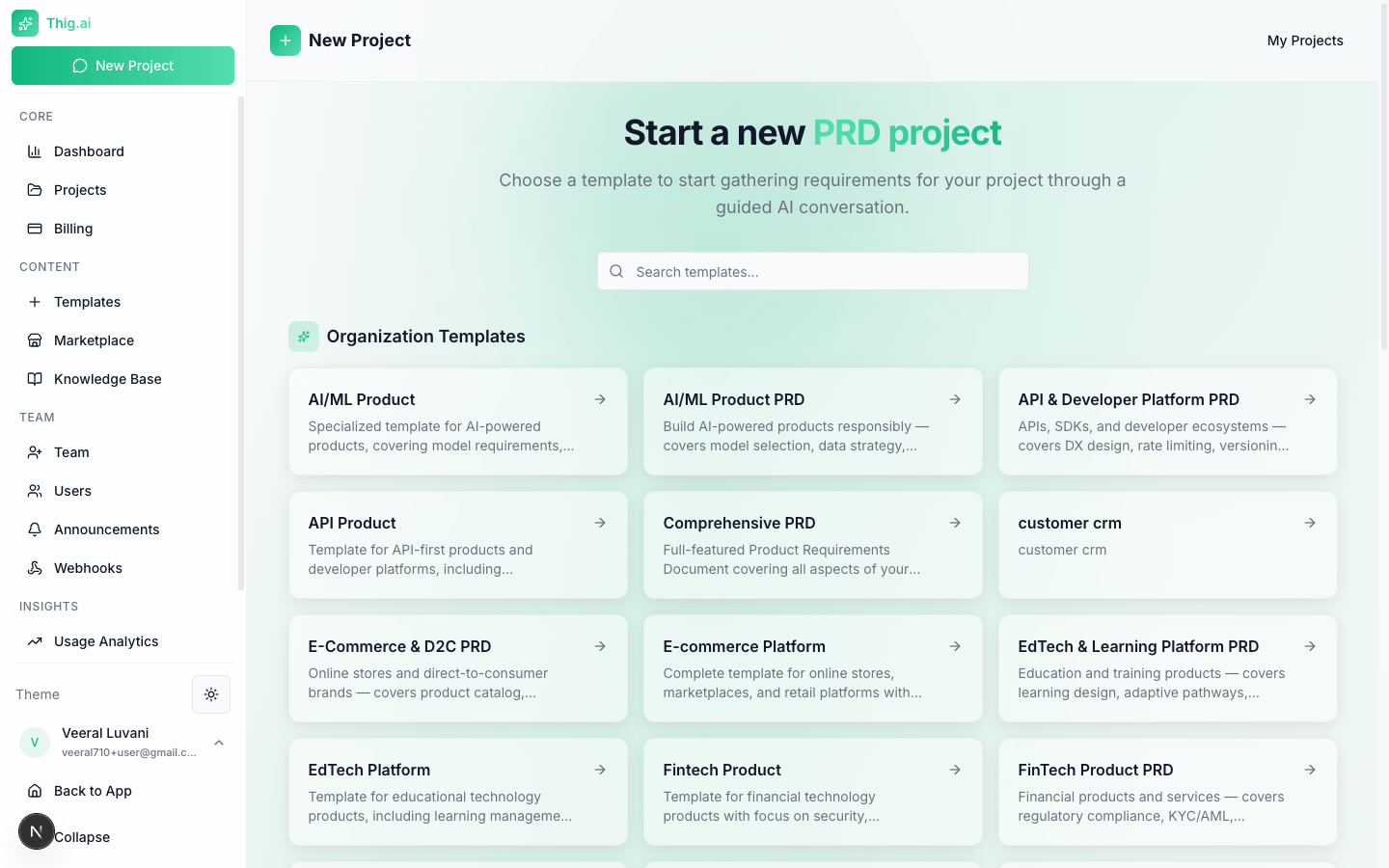 Browse the template marketplace by category:
* **SaaS** — Web application PRDs
* **Mobile** — iOS/Android app specs
* **eCommerce** — Online store features
* **FinTech** — Financial products
* **Healthcare** — Health/wellness apps
* **AI/ML** — AI-powered products
* And more...
Or start with a **blank project** for full flexibility.
## Step 4: Chat with AI
The AI will guide you through a structured conversation:
* Answer questions about your product vision, target users, and features
* Upload existing documents (PDF, DOCX, TXT) for the AI to analyze
* Use voice input to describe requirements hands-free
* Watch the requirements panel fill up as the AI extracts key details
## Step 5: Generate Your PRD
When the AI has gathered enough context (indicated by the completeness score), click **Generate PRD**. The document streams in section by section.
## Step 6: Review and Export
In the PRD editor:
* **Edit** any section with the rich text editor
* **Get AI coaching** — a quality score with actionable feedback
* **Export** to PDF, DOCX, HTML, Notion, or Google Docs
* **Share** with stakeholders via a link (no login required for viewers)
## What's Next?
Manage and organize your PRD projects
Master the AI conversation interface
Create and customize templates
Set up your organization and invite members
Browse the template marketplace by category:
* **SaaS** — Web application PRDs
* **Mobile** — iOS/Android app specs
* **eCommerce** — Online store features
* **FinTech** — Financial products
* **Healthcare** — Health/wellness apps
* **AI/ML** — AI-powered products
* And more...
Or start with a **blank project** for full flexibility.
## Step 4: Chat with AI
The AI will guide you through a structured conversation:
* Answer questions about your product vision, target users, and features
* Upload existing documents (PDF, DOCX, TXT) for the AI to analyze
* Use voice input to describe requirements hands-free
* Watch the requirements panel fill up as the AI extracts key details
## Step 5: Generate Your PRD
When the AI has gathered enough context (indicated by the completeness score), click **Generate PRD**. The document streams in section by section.
## Step 6: Review and Export
In the PRD editor:
* **Edit** any section with the rich text editor
* **Get AI coaching** — a quality score with actionable feedback
* **Export** to PDF, DOCX, HTML, Notion, or Google Docs
* **Share** with stakeholders via a link (no login required for viewers)
## What's Next?
Manage and organize your PRD projects
Master the AI conversation interface
Create and customize templates
Set up your organization and invite members